
Node.js 安装及配置
官网:https://nodejs.org/en
安装
(1)双击安装包
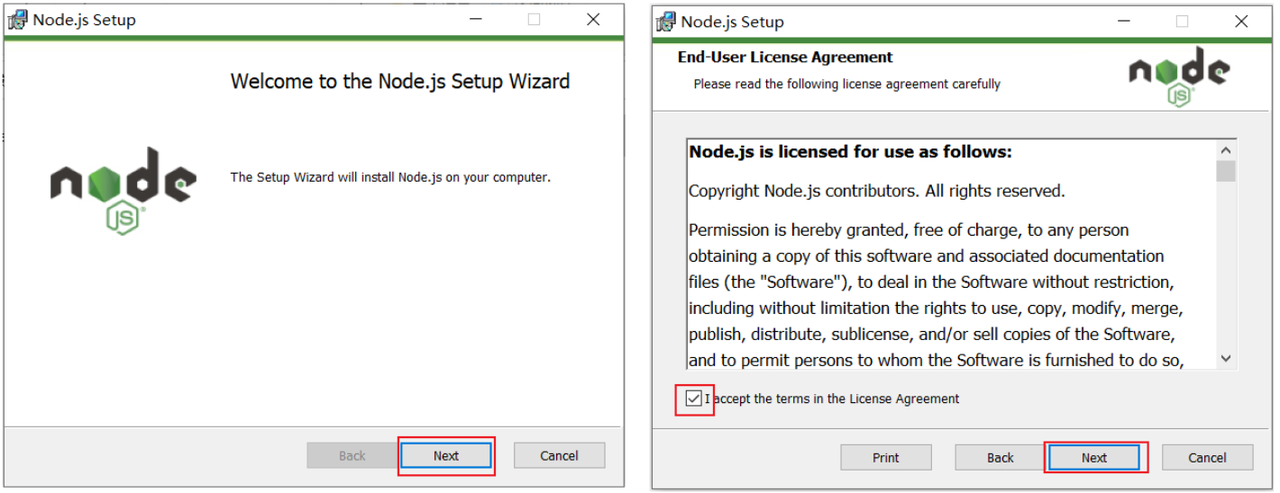
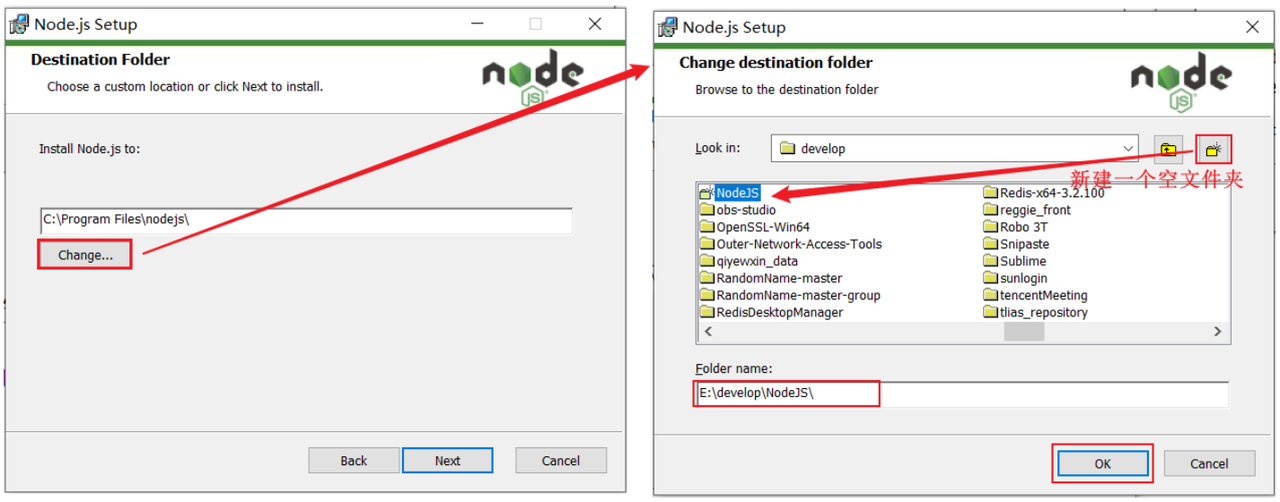
(2)选择安装到一个,没有中文,没有空格的目录下(新建一个文件夹 NodeJS)
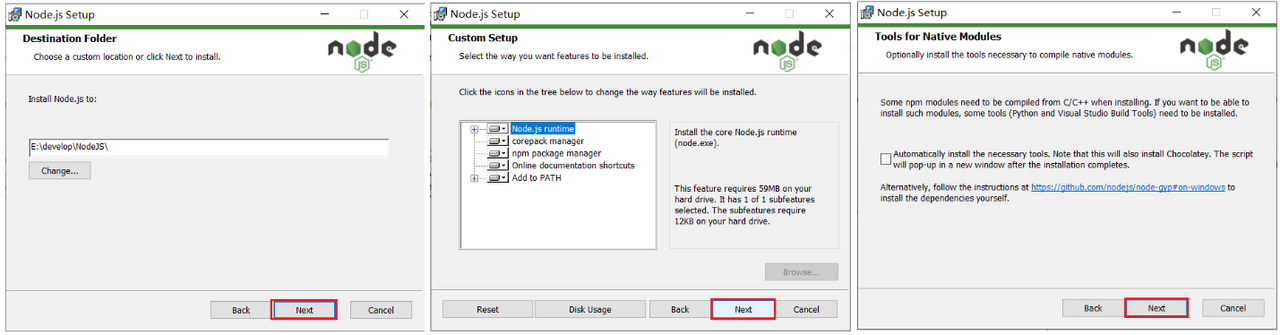
(3)点击 Next 安装即可
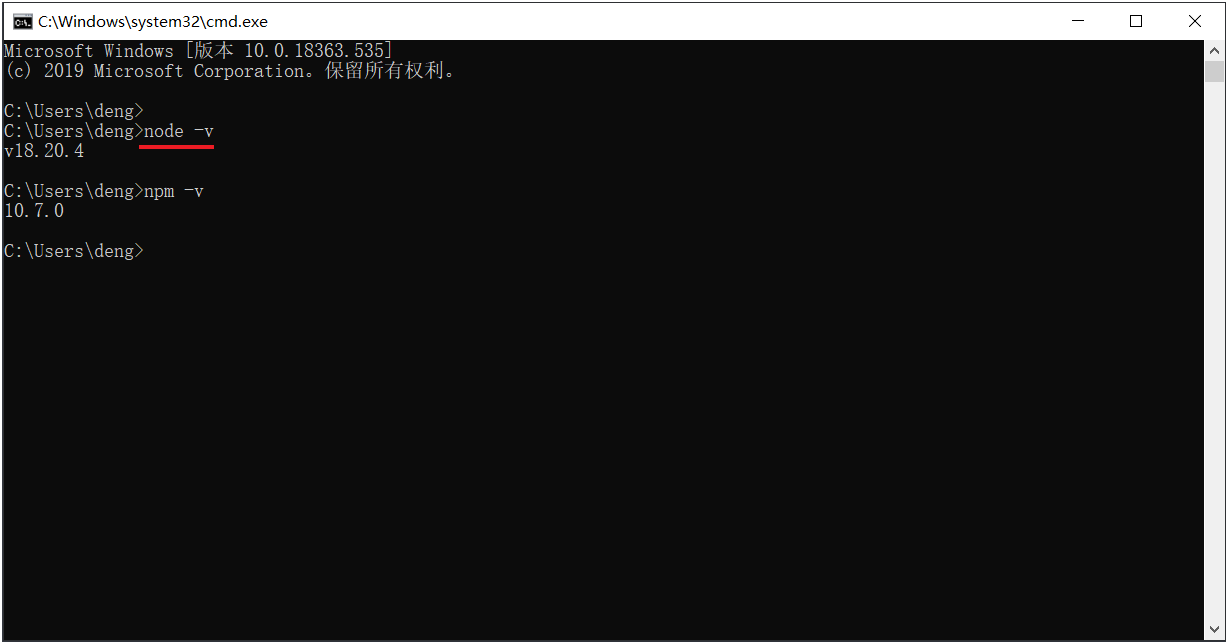
(4)验证 NodeJS 的环境变量
NodeJS 安装完毕后,会自动配置好环境变量,我们验证一下是否安装成功,打开 cmd,执行命令 node -v
(5) 配置 npm 的全局安装路径
使用管理员身份运行命令行,在命令行中,执行如下指令
路径需要指定为 Nodejs 的安装目录
bash
npm config set prefix "D:\develop\NodeJS"(6)切换为淘宝镜像,加速下载
bash
npm config set registry https://registry.npmmirror.comnvm 工具
一个用于管理多个 Node.js 版本的工具
安装链接
https://github.com/coreybutler/nvm-windows/releases
安装教程
视频教程:https://www.bilibili.com/video/BV1qspxzrEWP
CSDN:https://blog.csdn.net/weixin_45811256/article/details/130860444
设置镜像源
bash
nvm node_mirror https://npmmirror.com/mirrors/node/
nvm npm_mirror https://npmmirror.com/mirrors/npm/

# 设置新镜像源
npm config set registry https://registry.npmmirror.com

# 验证是否设置成功
npm config get registry

# 清理缓存:建议清理 npm 缓存,以避免旧缓存可能引发的问题
npm cache clean --force

# 设置环境变量,在与 nvm 安装目录同级目录下的 nodejs 文件夹中新建新建 node_global 文件夹和 node_cache 文件夹
npm config set prefix "D:\node\nodejs\node_global"
npm config set cache "D:\node\nodejs\node_cache"常用操作
bash
nvm install 18.20.4

nvm list available
nvm use 18.20.4
nvm list

nvm uninstall 16.20.2

nvm current常见问题
安装 nvm 后 vscode 无法识别 node 等内容:https://blog.csdn.net/qq_25337221/article/details/110925181
设置管理员权限后启动一次 vscode 让其识别,后续可关闭该选项,若快捷方式图标发生变化,重新设置即可